Documentation
Reports overview: three different systems
Report templates, per-client saved reports, and Hiring Intelligence analytics all live under "Reports" — here's how they differ.
What it is
Talynce has three things that all get called a "report," and mixing them up is a common source of confusion:
- Report templates (Administration → Report templates) — org-wide, reusable column layouts and pre-interview question sets, attached to jobs at creation.
- Client reports (a client's detail page, or Reports → Client jobs and candidates) — a specific, editable, exportable grid of candidates/jobs for one client, optionally started from a template.
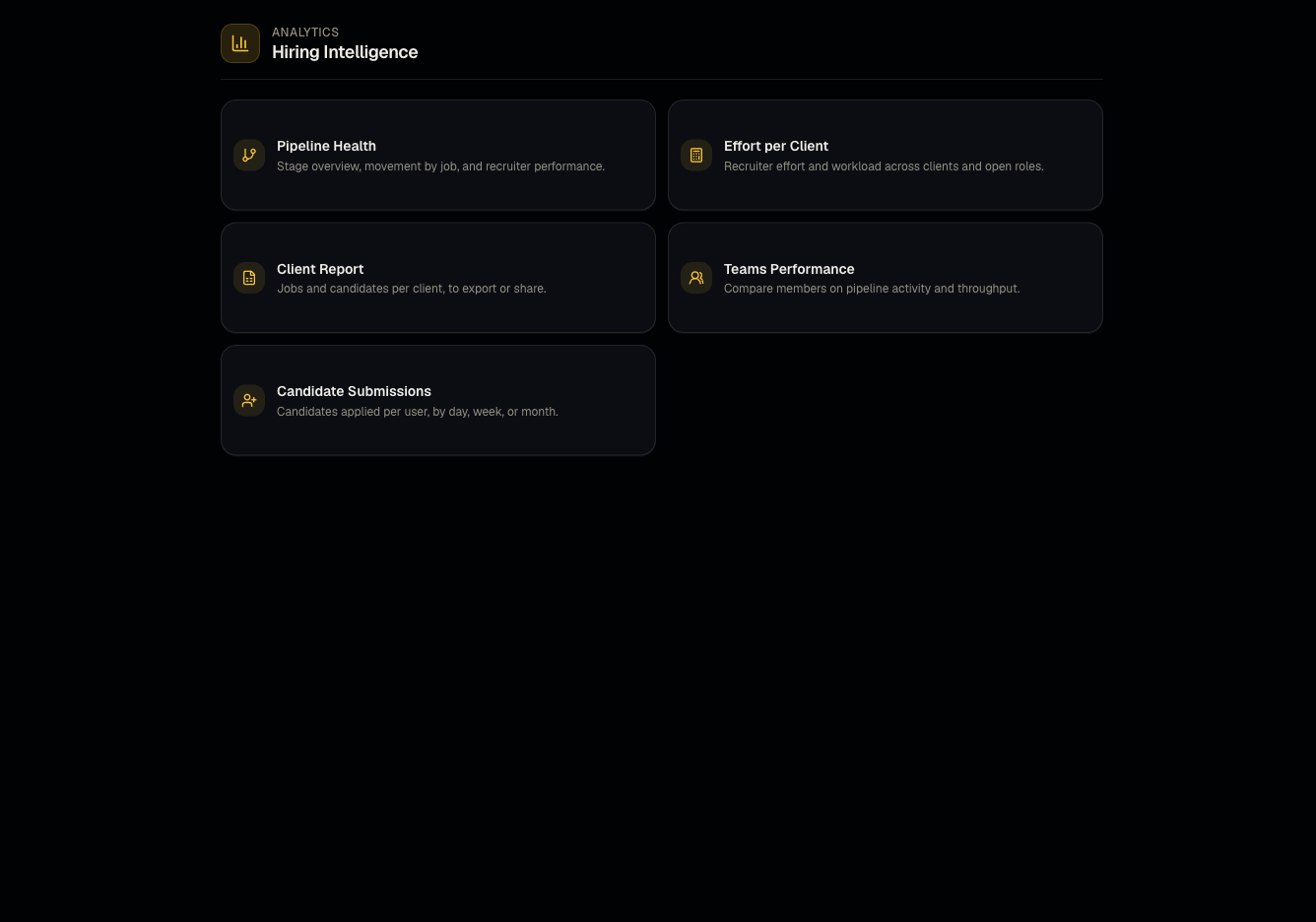
- Hiring Intelligence — read-only analytics dashboards (pipeline health, effort, team performance, candidate submissions) — not editable grids, not tied to a single client.
Who can use it
Everyone can view Hiring Intelligence analytics. Admins manage report templates. Admins and members create/edit client reports.
Where to find it
- Sidebar → Reports — the analytics hub (labeled "Reports" in the sidebar, but the link goes to
/dashboard/hiring-intelligence). - Reports → Client jobs and candidates — the client-report grid, same data as visiting a client page's Reports section.
- Administration → Report templates — the org-wide layout editor.
- The legacy /dashboard/reports URL redirects to the Hiring Intelligence hub.
Steps: which one do I want?
- Need a deliverable to send a specific client with candidate data in a spreadsheet-like grid? → Client reports.
- Need a reusable layout so every new job for a type of client asks the same pre-interview questions and exports the same columns? → Report templates.
- Need to understand how your team/pipeline is performing (not a client deliverable)? → Hiring Intelligence and its sub-reports.
Good to know
- The Client Report entry under the Reports/Hiring Intelligence menu and the report you'd create from a client's own page are the same underlying data model — you can start from either entry point and end up editing the same saved report.
- Do not confuse a report template with a saved report. A template is the org-wide starting point; a saved report is the specific instance tied to one client, editable independently after creation.
/dashboard/reports/ai-effectivenessis not currently available (disabled) — don't expect to find an "AI effectiveness" report live yet.
Common questions
- Where did the old Reports page go? It redirects automatically to Hiring Intelligence — bookmark the new location.
- Can a viewer see Hiring Intelligence? Yes, viewing analytics is generally available; editing client reports is not.
- Do any of these reports include AI Calling Agent data? Calling-specific data lives in AI Calling logs and analysis, not in the Hiring Intelligence hub.
- Can I export any of the Hiring Intelligence reports? Check each individual report page — most support an Excel or CSV export button; if one doesn't, use the underlying Client jobs and candidates grid instead for exportable data.
Related articles
Last updated: 9/17/20263 views