Documentation
Manage jobs
Search, change status, share the public link, and assign recruiters to a job.
What it is
The Jobs list and job detail page are where you track and administer every role after it's created.
Who can use it
Admins and members can edit; viewers can browse read-only.
Where to find it
Sidebar → Jobs; click into any job for its detail page with tabs: Candidates, Description, Pre Interview, Interview, Recruiters.
Steps
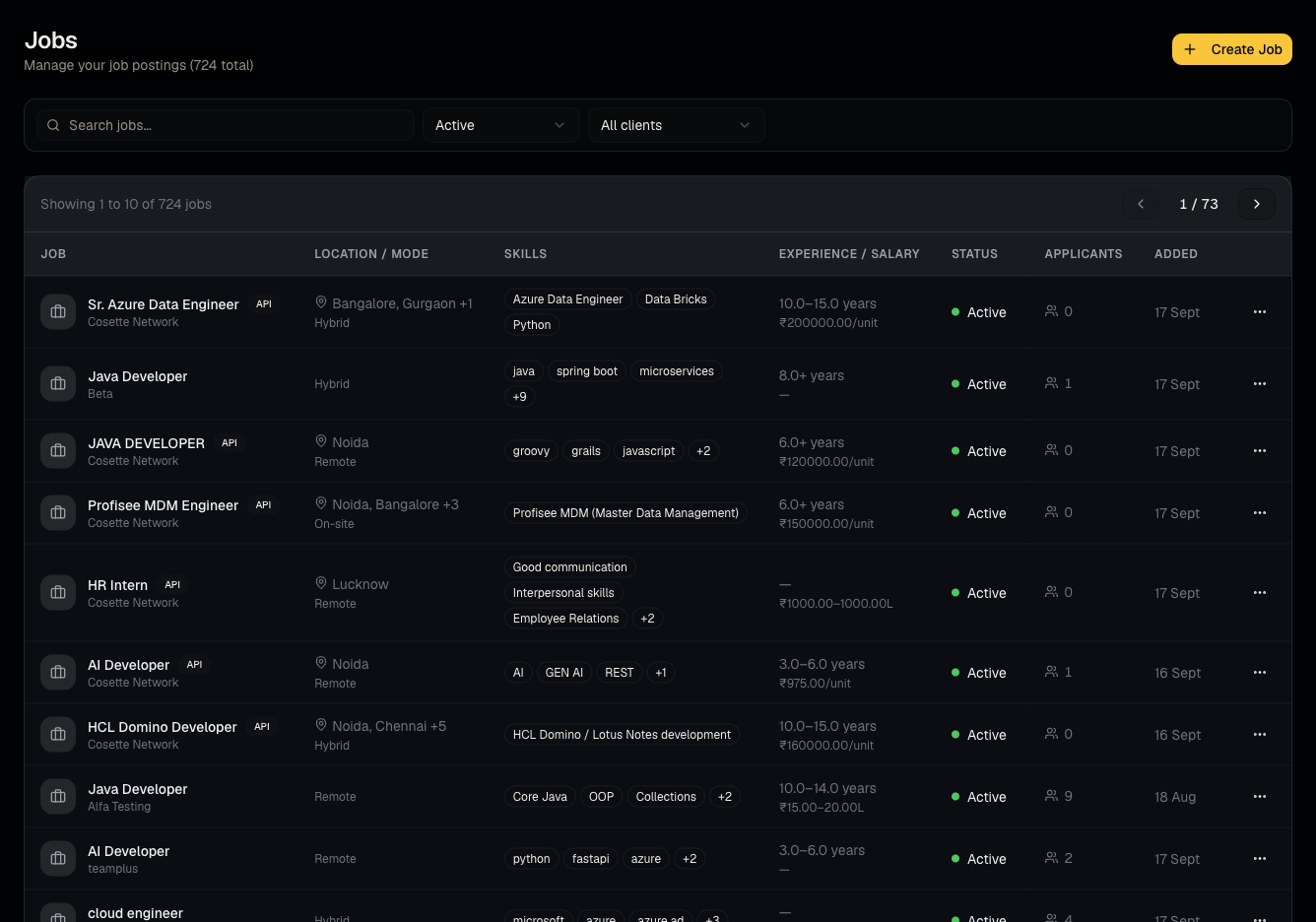
- On the Jobs list, search or filter by status; each row shows candidate counts.
- Open a job to see the Candidates tab (pipeline for this job), Description, Pre Interview questions, Interview questions, and Recruiters (who on your team is assigned).
- Use Copy Public Link to grab the shareable apply URL for this job.
- Change status — pause, reactivate, close, or delete — from the job list or detail page.
- Add or remove assigned recruiters on the Recruiters tab.
Good to know
- The public link carries recruiter attribution when copied while logged in — if a candidate applies through your copied link, you're recorded as the sourcing recruiter. Anonymous/organic applies (e.g., from the general careers page) have no recruiter attribution and show as self-applied.
- Closing or deleting a job does not delete its candidates from your database — only the job-specific application record.
- Viewers can open every tab but every edit control is disabled.
Common questions
- Where's the public careers page for my whole company (not just one job)? That's your organization's careers slug, configured once and shown read-only in Organization settings.
- Can I reopen a closed job? Yes, reactivate its status from the job list.
- Does removing a recruiter from the Recruiters tab remove candidates they shortlisted? No, it only changes who's assigned to work the job going forward.
- Can I delete a job that already has candidates? Deleting removes the job and its application records; consider closing it instead if you want to keep the history.
- Does pausing a job hide it from the public careers page? Yes — paused/closed jobs stop accepting new public applications.
Related articles
Last updated: 9/17/20264 views