Documentation
Social post and candidate sourcing kit
AI-generated social copy and a sourcing kit to help you promote a job outside Talynce.
What it is
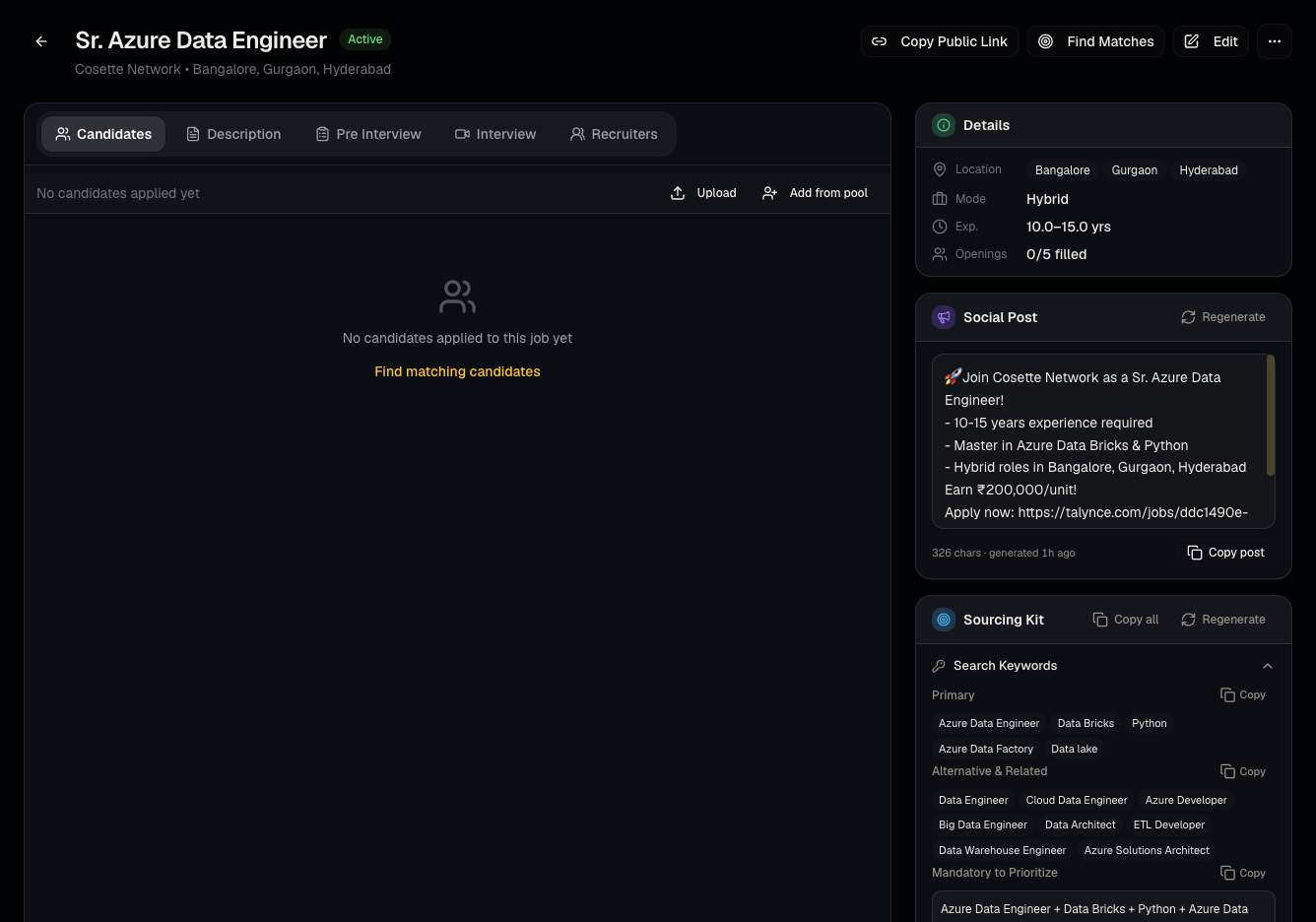
Below the main tabs on a job's detail page, Talynce can generate a ready-to-post social media announcement and a candidate sourcing kit (talking points/search strings) to help you promote the role beyond your own database.
Who can use it
Admins and members, on any published job.
Where to find it
Scroll to the bottom of a job's detail page (/dashboard/jobs/[id]), below the tabs.
Steps
- Open a job and scroll down to the social post section.
- Click to generate — review the AI-drafted copy.
- Copy it to paste into LinkedIn or another platform, or Regenerate for a different version.
- Do the same for the candidate sourcing kit section.
Good to know
- These tools don't post anywhere automatically — copy/paste is manual. There's no direct LinkedIn publishing integration here (LinkedIn import of jobs is a separate, internal admin tool, not a recruiter feature).
- Regenerating replaces the previous draft; copy anything you want to keep before regenerating.
Common questions
- Does this post to my company's LinkedIn automatically? No — you copy the generated text and post it yourself.
- Can I edit the generated text? Yes, after copying it into your own post/editor.
- Is the sourcing kit the same as a Boolean search string? It's meant as a starting point for outbound sourcing talking points/search terms — refine it for your specific sourcing channel.
- Does this use up any credits? No, generating social copy or a sourcing kit doesn't consume Talynce credits.
Related articles
Last updated: 9/17/20263 views