Documentation
Organization settings
Org name, careers slug, notification preferences, pipeline statuses, candidate responses, and security.
What it is
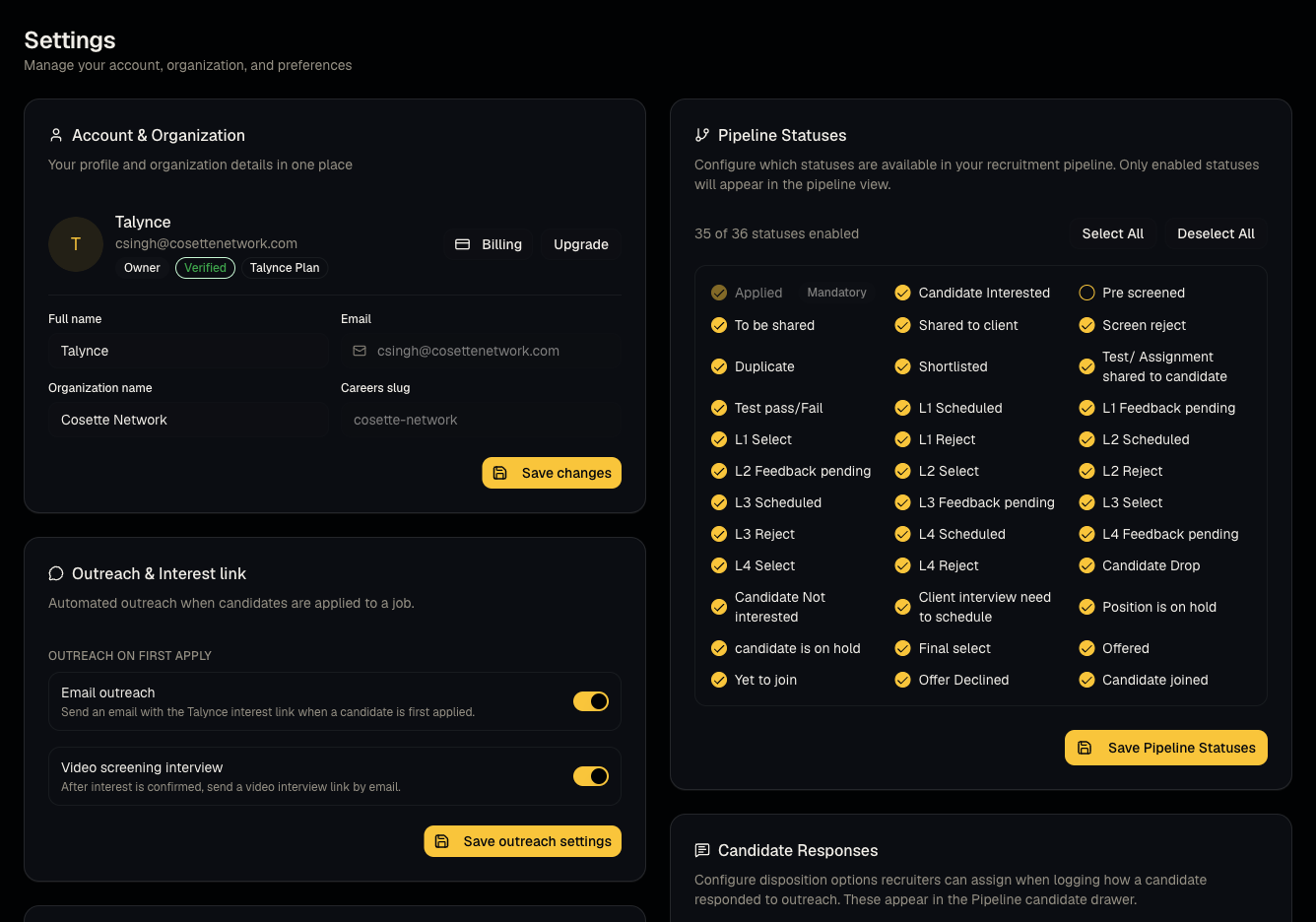
The Settings page covers both personal account preferences and organization-wide configuration (the org-wide sections are admin-only).
Who can use it
Everyone sees Account and Notifications and Security. Only admins see Account & Organization fields, Outreach & Interest link, Candidate status update emails, Pipeline Statuses, and Candidate Responses.
Where to find it
Sidebar → Settings.
Steps
- Account & Organization (admin) — edit your name, the organization name, and view the careers slug (read-only — this is your public careers page URL segment, set during onboarding and not self-serve editable).
- Notifications (everyone) — toggle Email Notifications, Screening Alerts, Candidate Updates, Weekly Report, and Marketing Emails; these save automatically per toggle.
- Pipeline Statuses (admin) — see Statuses, responses, and status emails.
- Candidate Responses (admin) — same article as above.
- Security (everyone) — change your password; sign out of your session.
- Danger zone — a Delete Account option is present but currently non-functional; use Support tickets if you need an account or organization actually removed.
Good to know
- The careers slug is shown read-only here — you cannot change it yourself from Settings. If you need it changed, open a support ticket.
- Two-Factor Authentication is labeled "Coming Soon" and is not currently functional — don't rely on it as an active security control yet.
- The Delete Account button in the Danger Zone does not currently perform any action when clicked — it is not a working self-service deletion path. Contact support instead.
Common questions
- Why can't I edit my organization's careers URL? It's intentionally read-only after setup — request a change via support.
- Is 2FA available? Not yet — it's marked Coming Soon.
- Does clicking Delete Account actually delete anything? No, currently it does not — use support to request account/data deletion.
- Can a member change organization-level settings like pipeline statuses? No — those sections are admin-only, even though members share the same Settings page URL.
- Where do I change my password if I'm not on the forced-reset screen? Use Security → Change Password on this same Settings page.
Related articles
Last updated: 9/17/20263 views