Documentation
Candidate database
Search, filter, apply candidates to jobs, and bulk actions on your candidate list.
What it is
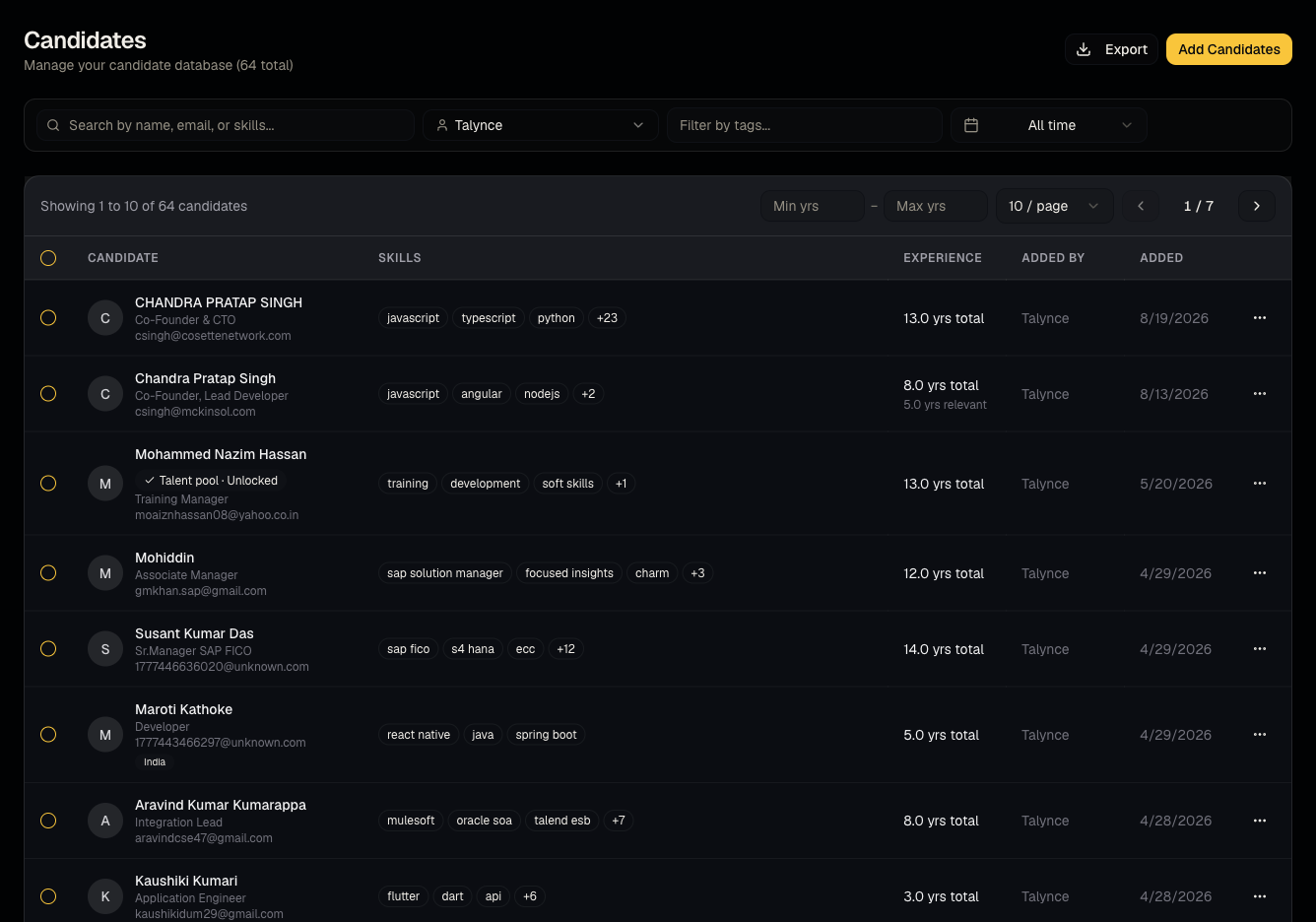
The Candidates page is your organization's full database of people — everyone you've uploaded, everyone who's applied to your public jobs, and everyone you've added from the global talent pool.
Who can use it
Everyone can view and filter. Admins and members can add, edit, apply, and bulk-delete. Viewers are read-only.
Where to find it
Sidebar → Candidates.
Steps
- Use filters — tags, added-by user, date range, experience — to narrow the list.
- Select one or more candidates (checkboxes) to reveal the bulk action bar.
- Apply to job — shortlist selected candidates to one job at a time; see From apply to video interview for what happens next.
- Bulk delete or export the current filtered view.
- Candidates sourced from the global talent pool show a badge and have masked contact info until revealed.
- A WhatsApp icon/link appears next to candidates with a phone number for quick manual outreach.
Good to know
- Applying a candidate here to a job for the first time can trigger automatic outreach — see From apply to video interview before bulk-applying if you're unsure of your org's outreach settings.
- Global talent pool profiles must be revealed (costs 1 credit) before you can apply them to a job — see Global talent pool.
- Bulk delete is permanent — it removes the candidate record, not just a job application.
Common questions
- How do I add one candidate manually? Use the add/create option on this page for a single manual entry, or bulk upload resumes for many at once.
- Why is a candidate's phone/email hidden? They're an unrevealed global talent pool profile — reveal costs 1 credit.
- Can a viewer apply a candidate to a job? No — viewers are read-only here.
- Can I filter to just the candidates I personally added? Yes, use the added-by filter and select yourself.
- Does bulk delete remove them from every job's pipeline too? Yes — deleting a candidate record removes it entirely, including from any pipeline it appeared in.
Related articles
Last updated: 9/17/20267 views