Documentation
Global talent pool
Search Talynce's shared candidate network, reveal masked profiles with credits, and add them to your database.
What it is
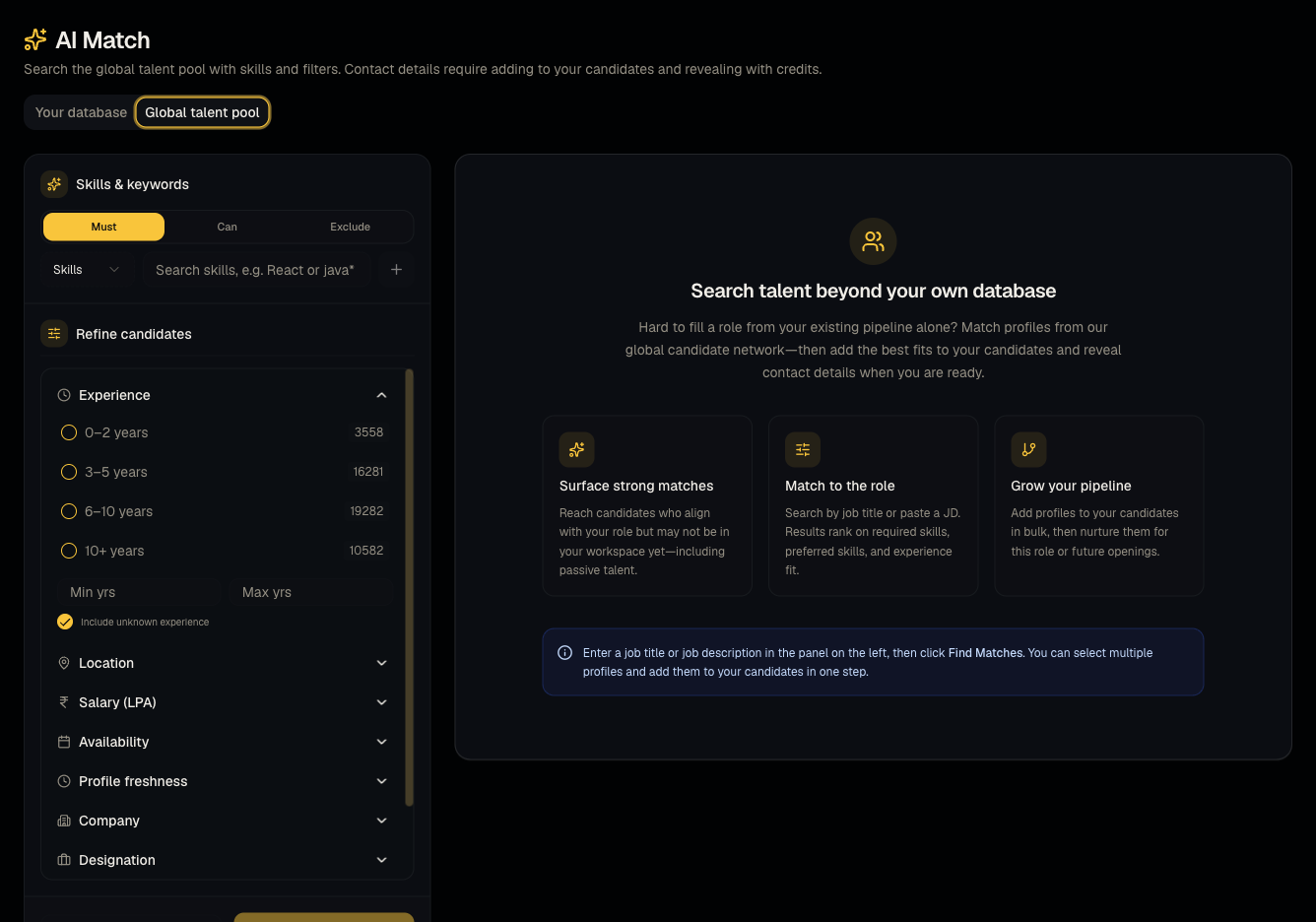
Beyond your own database, Talynce maintains a shared global talent pool of candidates sourced across the network. Profiles appear masked (contact info hidden) until you choose to reveal them.
Who can use it
Everyone can browse. Revealing and applying requires a paid plan (not trial/free) and admin/member permissions.
Where to find it
Sidebar → AI Match → Global talent pool tab. (Note: the old Talent Pool sidebar entry now redirects here — Talent Pool → AI Match — Global talent pool.)
Steps
- Search or filter global pool profiles the same way as your own database.
- Select one or more masked profiles and Add to candidates in bulk.
- Reveal an individual profile (1 credit) to unmask their contact info and resume.
- Once revealed, apply them to a job like any other candidate.
Good to know
- You cannot apply a candidate to a job until they're revealed. Attempting to apply a still-masked profile is blocked — reveal first (1 credit per profile), then apply.
- On a trial, this tab is browse-only — you can see that matches exist, but adding, revealing, and applying require a paid plan. An expired trial shows the same restriction.
- Reveal costs 1 credit per profile, deducted from your organization's balance — see What credits cost and make sure you have balance before revealing many at once.
- Bulk screening (sending outreach to many global-pool candidates directly from this screen) is not currently available as a button in the UI — don't look for a "bulk screen" action here; screen candidates after they're added to your database and applied to a job instead.
Common questions
- Why can't I click Apply on this profile? It's still masked — reveal it first.
- Do I get charged again if I reveal the same profile twice? No — once revealed for your organization, it stays revealed.
- I'm on a trial — why is everything disabled here? Global pool actions require a paid plan; browsing is still allowed.
- Once I reveal a profile, does it count against my own database limits? Yes — after adding, it behaves like any other candidate in your database, including toward plan candidate-add limits.
- Can another organization see that I revealed a profile? No, reveal status and credit spend are private to your organization.
Related articles
Do not confuse with
- This is not the same as AI Calling Agent, which calls candidates already in your pipeline.
Last updated: 9/17/20263 views