Documentation
Match candidates from your database
Search your own candidate database with AI matching against a job or job description.
What it is
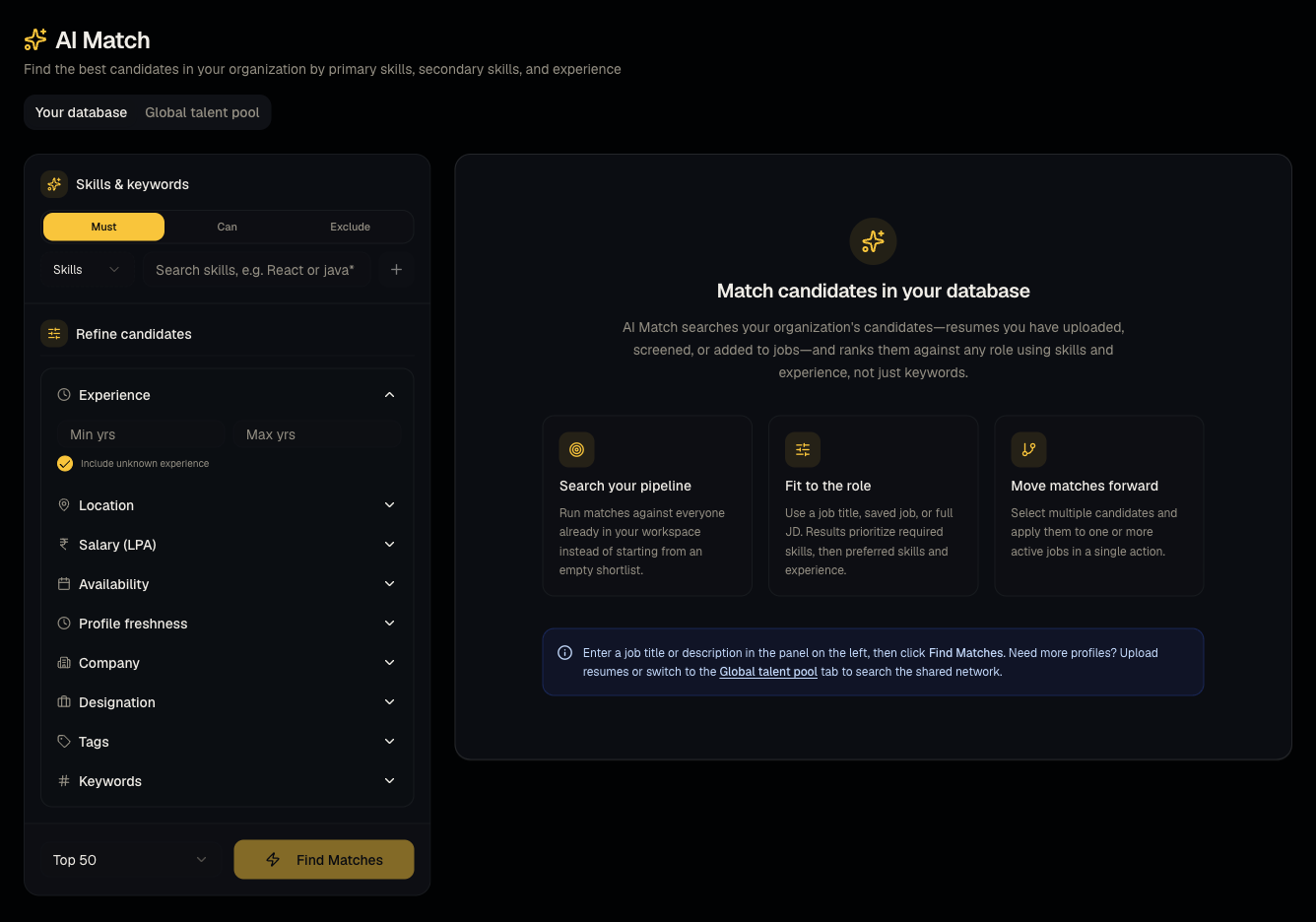
AI Match scores and ranks candidates in your own database against a specific job, a pasted job description, or a job title — so you don't have to manually search your database for the right fit.
Who can use it
Everyone can search; admins and members can apply/shortlist. Viewers can browse but not act.
Where to find it
Sidebar → AI Match → Your database tab.
Steps
- Pick an existing job, or paste a job description, or search by job title.
- Apply filters (location, experience, skills, source, etc.) to narrow results further.
- Review AI match scores per candidate.
- Select candidates and Apply — choose one or more jobs to shortlist them to.
- Applying for the first time can trigger outreach — see From apply to video interview.
Good to know
- Match scores are a starting point for triage, not a hard cutoff — always skim a handful of borderline-scored profiles manually before ruling them out.
- Bulk-applying many candidates at once to a job can trigger many outreach emails simultaneously if your organization's outreach settings are on — double-check your outreach settings before a large batch apply.
Common questions
- Can I match without an existing job? Yes — paste a JD or just a job title.
- Where's the difference between this and the Global talent pool tab? This searches candidates already in your organization's database; the other tab searches Talynce's shared network — see Global talent pool.
- Can viewers shortlist candidates from here? No.
- What does the match score actually measure? A combination of skills overlap, experience fit, and other job-description signals — treat it as a ranking aid, not a hard pass/fail gate.
- Can I match against a job I haven't published yet? Yes, draft jobs can still be used as the matching target.
Related articles
Last updated: 9/17/20264 views