Documentation
Create a resume-based interview
Start an AI video interview for a candidate without attaching it to a specific job.
What it is
Instead of interview questions coming from a job's Interview tab, this feature generates AI interview questions directly from a candidate's resume — useful when you want to screen someone before deciding which role fits them.
Who can use it
Admins and members.
Where to find it
Screening → Video Interviews tab → Create resume interview.
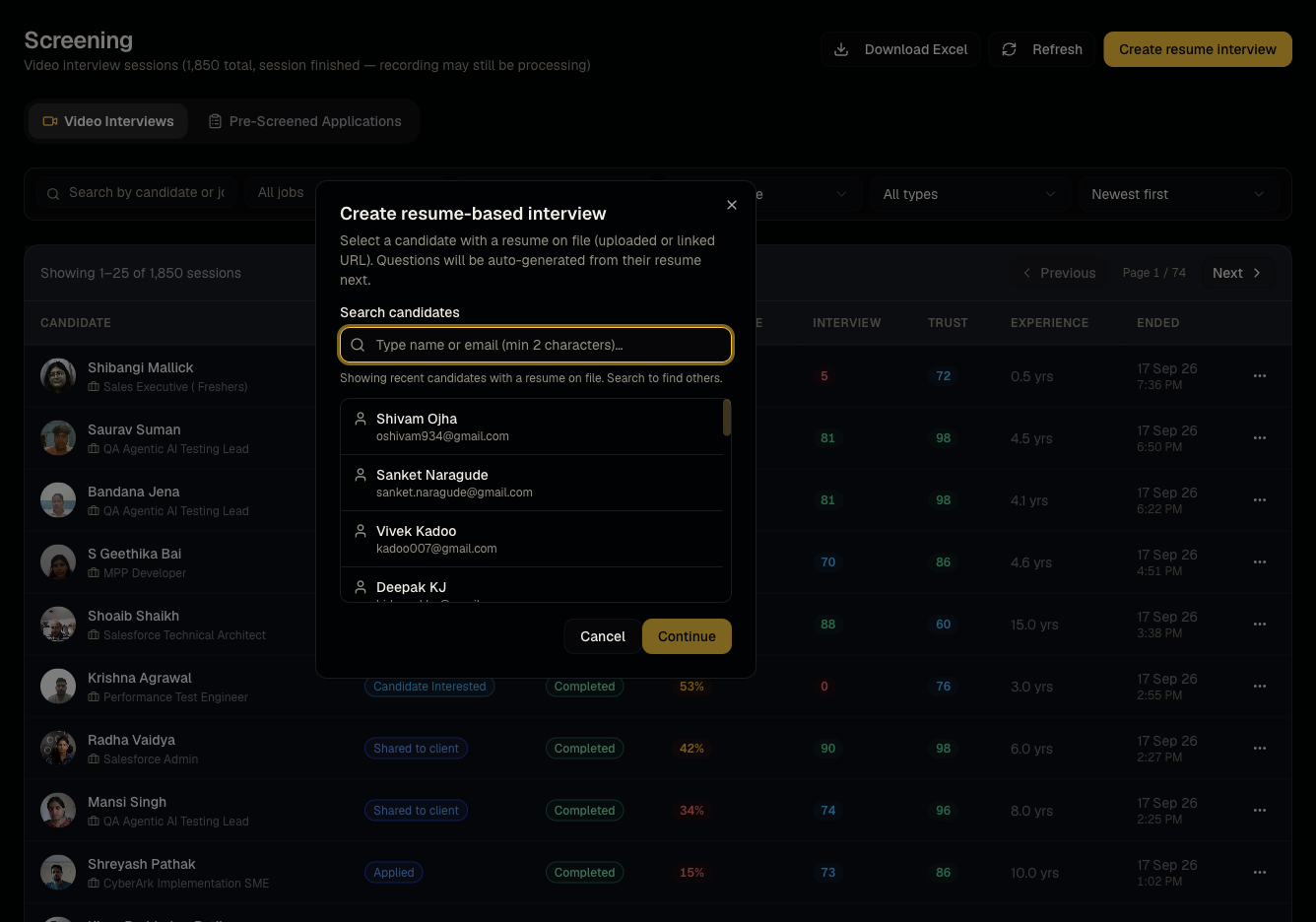
Steps
- Pick a candidate who already has a resume on file.
- Talynce generates interview questions based on their resume content.
- Send the interview link — the session appears in Video interviews like any other, but with no job attached.
Good to know
- Because there's no job, this interview won't show up under any job's Candidates tab — find it from the Screening list directly, filtered by candidate name.
- Choose a candidate with a parsed, up-to-date resume — question quality depends on what's extracted from the file.
Common questions
- Can I attach this interview to a job later? Not directly — it's designed as a jobless, resume-driven screen. If you want a job-specific interview, use the job's own Interview tab and invite flow instead.
- Does this cost credits? No — like all dashboard-created video interviews, this is not credit-billed.
- Can I edit the AI-generated questions before sending? Yes, review and adjust them before the invite goes out.
- What if the candidate has no resume on file? Upload one to their profile first — question generation needs resume content to work from.
Related articles
Last updated: 9/17/20264 views