What it is
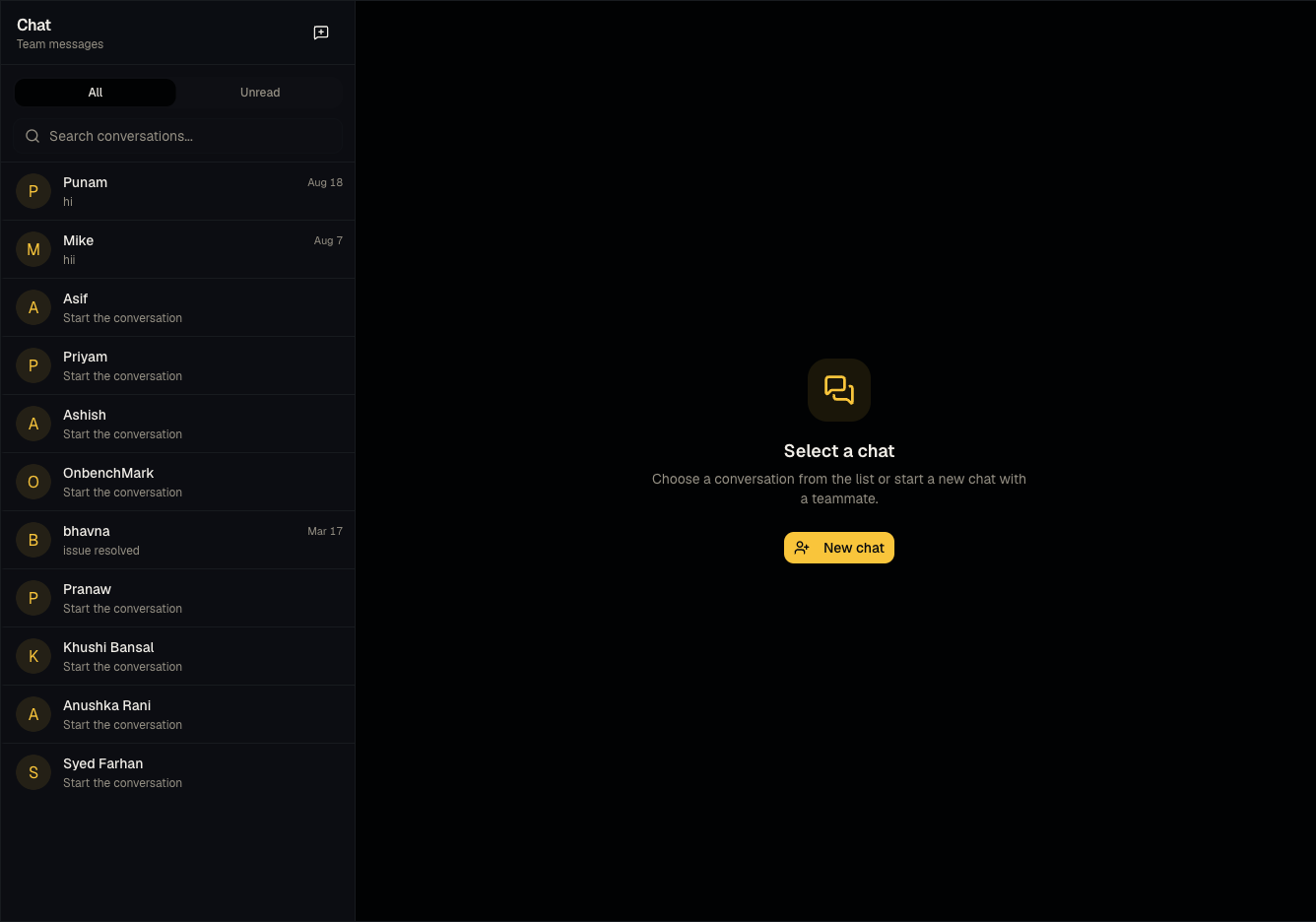
Messages is internal team chat scoped to your organization — a place to discuss candidates and jobs with colleagues without leaving Talynce.
Who can use it
All roles.
Where to find it
Sidebar → Messages, or the chat icon in the header for a quick popup. Open a specific conversation at /dashboard/messages/[id].
Steps
- Click the header chat icon for a popup view, or go to the full Messages page for more space.
- Start or continue a conversation with a teammate.
- Unread messages show a badge on the sidebar item and header icon.
Good to know
- This is not your email. Team Messages only talks to other people in your Talynce organization — it does not send or receive external email. If you're looking for a connected mailbox, see the note under Common questions below.
Common questions
- Where's my email inbox? There is an Email Inbox feature (Email Inbox) for connecting a personal mailbox, but it's still being built and is intentionally hidden from the sidebar. Treat it as not yet generally available — don't rely on it for daily work.
- Can I message a candidate here? No — Messages is internal team chat only. Candidate communication happens via outreach emails, the interest link flow, or your own external tools.
- Do I get notified outside the app? Depends on your notification settings — check email notification toggles in Settings.
- Can I message someone outside my organization? No, Messages only connects users within your own organization.
- Are messages tied to a specific candidate or job? Conversations are between people, not attached to a candidate/job record — reference the candidate/job by name in your message instead.
Related articles
Last updated: 9/17/20262 views