Documentation
Credits and purchases
View your balance, purchase packs, and understand who can access this page.
What it is
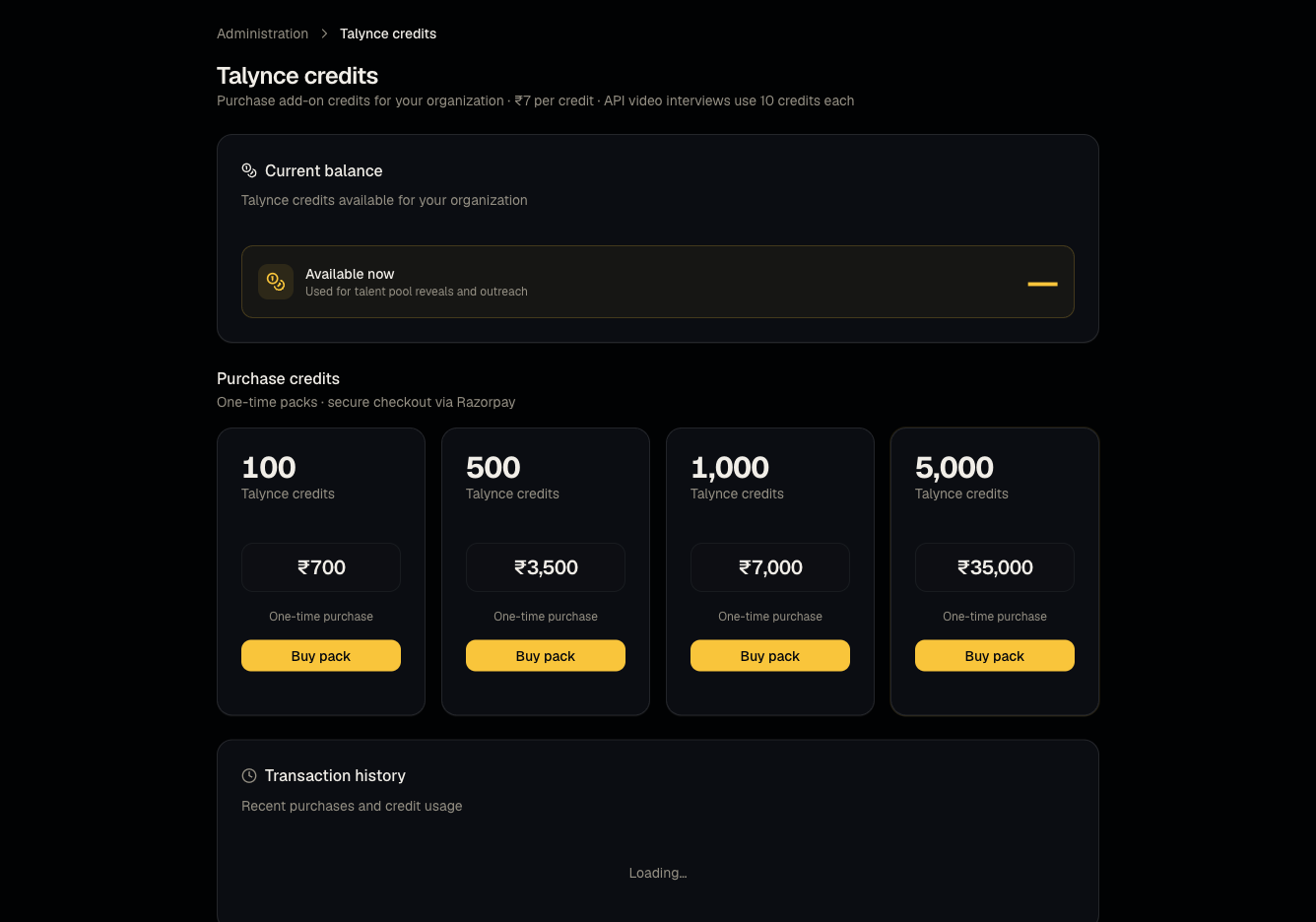
The dedicated page for viewing your Talynce credit balance, transaction history, and purchasing additional credit packs.
Who can use it
Admins only — even though the balance chip in the header is visible to everyone, opening this page as a member or viewer shows "Access denied — Talynce credits are limited to organization owners and admins."
Where to find it
Steps
- Review your current balance and recent transaction history.
- Choose a credit pack (100 / 500 / 1,000 / 5,000 credits, priced at ₹7 per credit) and purchase via Razorpay.
- If you arrived here after an action failed for lack of balance, you'll see a toast explaining insufficient credits.
Good to know
- Purchasing requires a paid (flex) plan. Free plan, active trial, and expired subscriptions are all blocked from buying credit packs — you'll see "Upgrade to buy" instead of a purchase button. This applies even if your balance is currently zero and you urgently need credits.
- The header chip staying visible to non-admins is intentional (so everyone can see the balance at a glance) — it does not imply non-admins can spend or manage credits.
Common questions
- I'm a member and clicked the Credits chip — why do I see "Access denied"? Only admins can open the Credits page; ask an admin to top up.
- Why can't I buy credits on my current plan? Free, trial, and expired-subscription organizations cannot purchase — upgrade to flex first, see Plans and subscriptions.
- What happens to unused credits? They remain in your organization's balance indefinitely (check current terms for any expiry policy specific to your account).
- Can I see who in my organization spent credits? Yes, the transaction history lists each debit with a description (e.g., a specific reveal, call, or interview) you can trace back to an action.
- What happens if I run out of credits mid-campaign? AI Calling and other credit-gated actions stop or are blocked until you top up — see the relevant feature's tricky-workflow notes (e.g., Campaigns).
Related articles
Last updated: 9/17/20263 views