What it is
The billing administration page for your organization's subscription — separate from the pay-per-use Credits page.
Who can use it
Admins only.
Where to find it
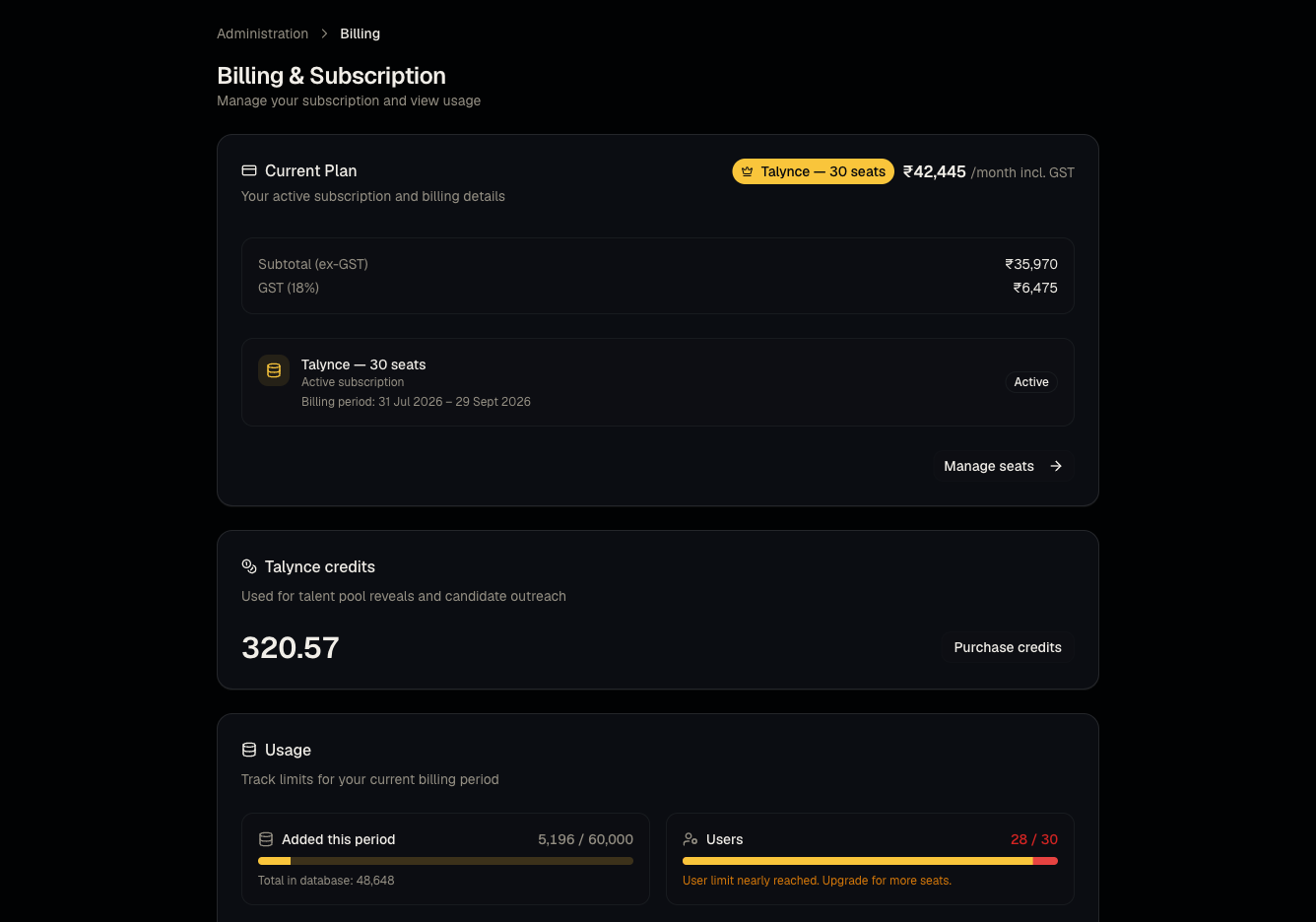
Steps
- Review your current plan, seat count, and usage against plan limits.
- View past invoices.
- Use Manage subscription / Upgrade to change plans — this routes to the same Razorpay flow as Plans and subscriptions.
- Review overage information if you've exceeded plan limits.
Good to know
- Billing (subscription/seats) and Credits (pay-per-use balance) are tracked and purchased separately — topping up credits does not change your seat count or plan tier, and vice versa.
Common questions
- Where do I download an invoice? From this page's invoice history section.
- What happens if I exceed my candidate-add limit? Check the overage messaging shown here; typically it prompts an upgrade rather than silently blocking you mid-month — confirm current behavior with support if unsure.
- Can a member view Billing? No — this page is admin-only.
- Who do I contact about a billing discrepancy? Open a support ticket under the Billing category.
Related articles
Last updated: 9/17/20263 views