Documentation
API keys and request logs
Create API keys for the Talynce REST API and audit requests made against them.
What it is
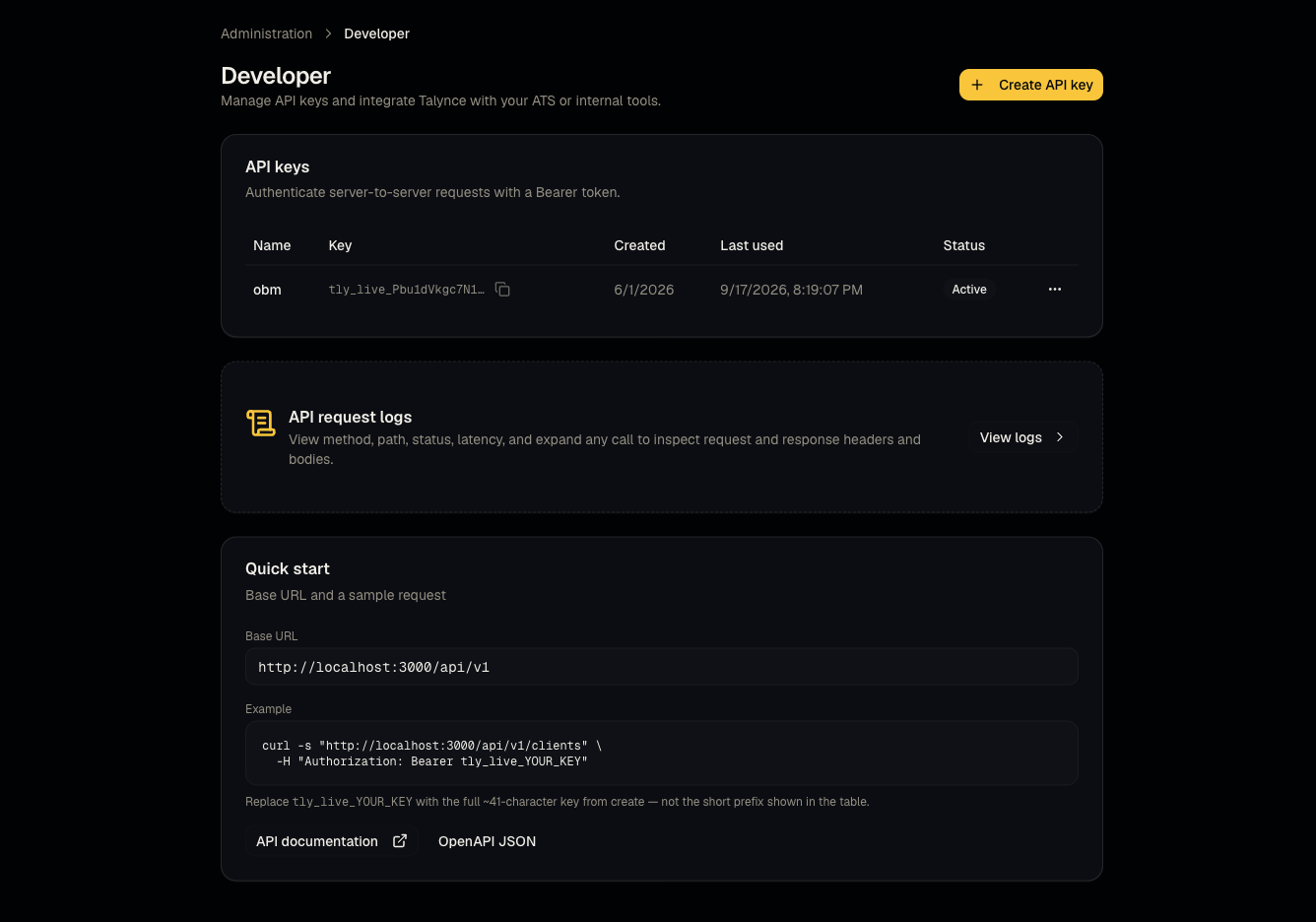
A self-service developer portal to create Bearer-token API keys for the Talynce REST API (/api/v1/*) and review the request log for each key.
Who can use it
Admins only. Requires a paid plan with 2 or more users — smaller/free organizations won't see this feature available.
Where to find it
Administration → Developer; request history at Developer → Logs.
Steps
- Open Developer and create a new API key — copy it immediately, as the full value is typically only shown once.
- Use the key as a Bearer token against
/api/v1/*endpoints. - Revoke a key at any time if it's compromised or no longer needed.
- Review Logs to audit every request made with your keys, including response status.
- For endpoint-by-endpoint documentation (authentication, clients, jobs, candidates, applications, screenings, video interviews, errors), see the public REST API reference.
Good to know
- Video interviews created through the API are credit-billed (10 credits each) — unlike dashboard-created interviews, which are free. Budget for this if you're automating interview creation. See What credits cost.
- This feature is gated by plan size (2+ users on a paid plan) — a solo admin on a paid plan may still not see it; check your seat count if it's missing.
Common questions
- Where's the full endpoint documentation? At /docs/api — this article only covers key management and logs, not individual endpoints.
- Can a member create API keys? No — admin only.
- What happens if I revoke a key that's in use? Requests using it immediately start failing authentication — coordinate with whoever built the integration before revoking.
- Can I create more than one API key? Yes — many teams use separate keys per integration/environment so they can be revoked independently.
- Does the request log show response bodies? It logs enough detail to debug status and timing; treat it as an audit/debugging trail rather than a full payload archive.
Related articles
Last updated: 9/17/20264 views